
 Canada
 USA
USA Japan
Japan
How to Compare Knife Product Photos Before You Order

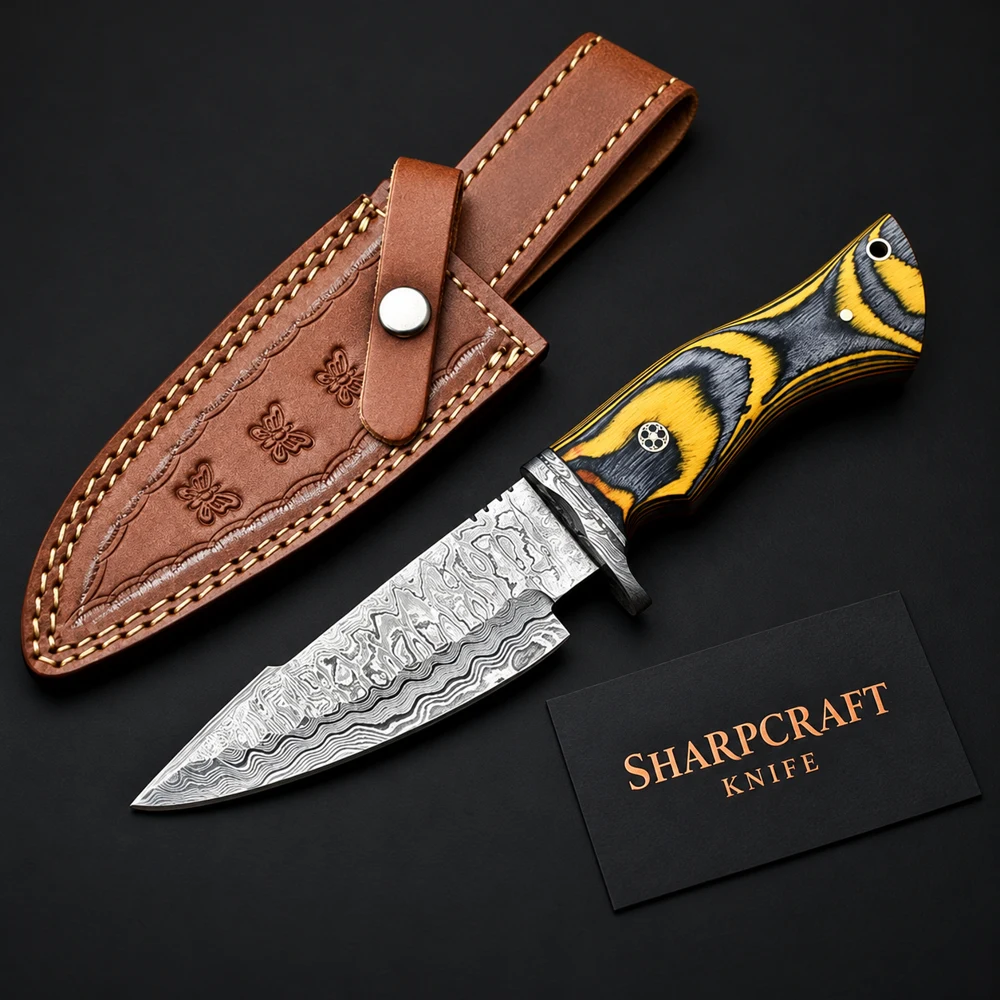
A knife can look very different when photographed close up, from the opposite side or beside its sheath. A useful comparison starts with the same questions for every item, rather than choosing only the most dramatic photograph. This guide explains how to read a product gallery and prepare a clear enquiry when a detail needs confirmation.
Begin with a complete view
Look for a photograph that shows the blade tip, handle and end of the grip together. A full view helps you compare the outline of the piece. A close photograph of a patterned blade may be useful for its finish, but it does not show the proportions of the complete knife. Avoid treating a tightly cropped photograph as a complete specification.
For example, browse the chef knife sets to compare how the pieces in a set relate to one another. Count the items shown, then check the listing or ask the team to confirm the exact contents of the order. A roll or sheath visible in a photograph should also be confirmed as part of the supplied package.
Compare both sides and the smaller details
The second side of a handle can show a different grain, colour or decorative detail. Ask for another view when the gallery does not answer your question. Helpful views include the complete reverse side, a handle close-up and a clear photograph of the knife beside its sheath. A detail photograph is most useful when you can connect it to a full view of the same item.
Lighting can make polished fittings look warmer or cooler, and a dark background can increase the apparent contrast in a blade pattern. Use photographs to discuss the appearance you prefer. Confirm the actual material with the seller rather than identifying a steel grade, wood species or handle material from its colour alone.
Keep photographs and measurements together
A product filling most of a square image is not necessarily larger than one shown with more space around it. Request the overall length, blade length and handle length if scale matters to your order. Our guide to understanding knife dimensions explains the measurements to put in your enquiry.
If you are comparing two items, send both product links and describe the specific difference you want checked. “Please compare the handle length of these two pieces” is more useful than “Which one is bigger?” The team can then answer the same question for each product.
Use a reference image as a brief
For a custom enquiry, mark which part of a reference you like: the outline, handle colour, visible pattern or sheath appearance. Keep inspiration separate from the details you want supplied. Read how to brief a custom knife order before submitting a reference.
If the sheath is important, continue with our sheath fit checklist. To compare pieces across a coordinated order, use the matching collection planning guide.
Send one clear request
Include the product link, the additional view you need, the measurements you want confirmed and your preferred quantity. Submit those details through the custom order enquiry form. Clear questions help us discuss the correct piece before you decide.
For a concrete comparison, view the light wood handle fixed blade knife and the dark contoured handle hunting knife. Compare their full views and handle details, then request the measurements you need for each exact piece.
Preparing your own reference images? Read our custom enquiry reference photo checklist before sending your design brief.